
Meta Ads Creative Fatigue: How to Spot It and Fix It Before ROAS Drops

Your top-performing Meta ad has a limited lifespan. This article shows you how to diagnose creative fatigue using Ads Manager in minutes and outlines a clear framework for what to create next to protect your ROAS.
- What creative fatigue is and why it happens
- 7 clear signs your ad creative is tired
- A 5-minute process to confirm fatigue in Ads Manager
- Actionable steps to fix fatigue with creative diversity
Is your best Meta ad suddenly costing twice as much per sale? That’s likely creative fatigue, a common issue where audiences see an ad so often they start ignoring it. The pattern is unmistakable: ad frequency climbs while click-through rates (CTR) and return on ad spend (ROAS) fall. The solution isn't to tweak the tired ad, but to introduce genuinely new creative angles to re-engage your audience.
What Is Creative Fatigue in Advertising?
Creative fatigue occurs when your target audience becomes over-exposed to an ad, leading to diminished engagement and performance. As people see the same creative repeatedly, they develop "ad blindness," scrolling past it without a second thought. Consequently, Meta's algorithm must show the ad more frequently to achieve the same results, driving up your costs and lowering overall campaign efficiency.
This isn't a sign of a bad ad; rather, it indicates the ad has reached its saturation point with the current audience and requires fresh alternatives to maintain momentum.
Why Creative Diversity Matters More Than Ever
Meta's advertising system, particularly since the 'Andromeda' update, prioritizes delivering relevant content to users. The platform itself advises that "creative diversification" is key to optimal performance. In a diversified ad account, the algorithm has more unique options to match with individual user preferences, reducing the risk of any single ad burning out too quickly.

7 Signs of Meta Ad Creative Fatigue
Spotting fatigue early requires monitoring a few key metrics. While one metric fluctuating can be normal, a combination of these signals strongly suggests your creative is tired.
- Rising Frequency: Your 7-day frequency is steadily increasing week-over-week.
- Falling Link CTR: The click-through rate is declining despite no changes to the ad.
- Increasing Cost Per Result (CPA): Your cost per purchase or lead is consistently going up.
- Climbing CPM: Meta charges more to deliver ads that receive less engagement, leading to a higher cost per thousand impressions.
- Dropping Hook Rate: For video ads, the percentage of users watching the first three seconds is decreasing.
- Negative or Repetitive Comments: Users may start commenting that they are seeing the ad too often.
- New Ads Outperform Immediately: Fresh creatives quickly deliver better results when launched alongside the old one.
How to Diagnose Creative Fatigue in Ads Manager
You can confirm creative fatigue with a quick 5-minute check in your Meta Ads Manager.
Step 1: Customize Your Columns
Navigate to the Ads tab. Click the "Columns" dropdown and select "Customize Columns." Add the following to your view: Amount Spent, Frequency, CPM, CTR (Link), Cost per Result, and Results. If you're running video, also include 3-Second Video Plays.
Step 2: Compare Performance Over Time
Use the date picker to compare two distinct periods: the ad's first 7 days of running versus its last 7 days. You can also use the "Breakdown" menu and select "By Time > Week" to see performance trends.
Example of a Fatigued Ad
Consider this illustrative data for an e-commerce brand's video ad over five weeks.
| Metric | Week 1 | Week 5 | Trend |
|---|---|---|---|
| 7-Day Frequency | 1.4 | 3.2 | ▲ Up |
| Link CTR | 1.6% | 0.8% | ▼ Down |
| CPM | ₹140 | ₹185 | ▲ Up |
| Cost per Purchase | ₹310 | ₹640 | ▲ Up |
Note: These are illustrative numbers. If your ad's performance mirrors this trend, it's a clear sign of fatigue.
What Ad Frequency Is Too High?
There's no single "correct" frequency, as it depends on your campaign objective and audience size. However, these general guidelines are a helpful starting point for most advertisers:
| Campaign Type | 7-Day Frequency to Monitor | Reasoning |
|---|---|---|
| Prospecting / Broad / Advantage+ | Above 2.5–3 | High frequency suggests audience saturation; the ad isn't reaching enough new people. |
| Retargeting | Above 5–7 | Smaller, high-intent audiences will naturally see ads more often. |
Context is crucial. High frequency is not a problem if your CTR and CPA remain stable and within your target goals.
How to Fix Creative Fatigue on Meta Ads
When an ad is fatigued, the goal is to introduce new, distinct creative—not to make minor edits to the existing one.
- Launch Net-New Creatives: Don't just edit the text or swap the background color. Significant edits can reset the learning phase. Instead, launch a batch of fundamentally different ads to run alongside your winners.
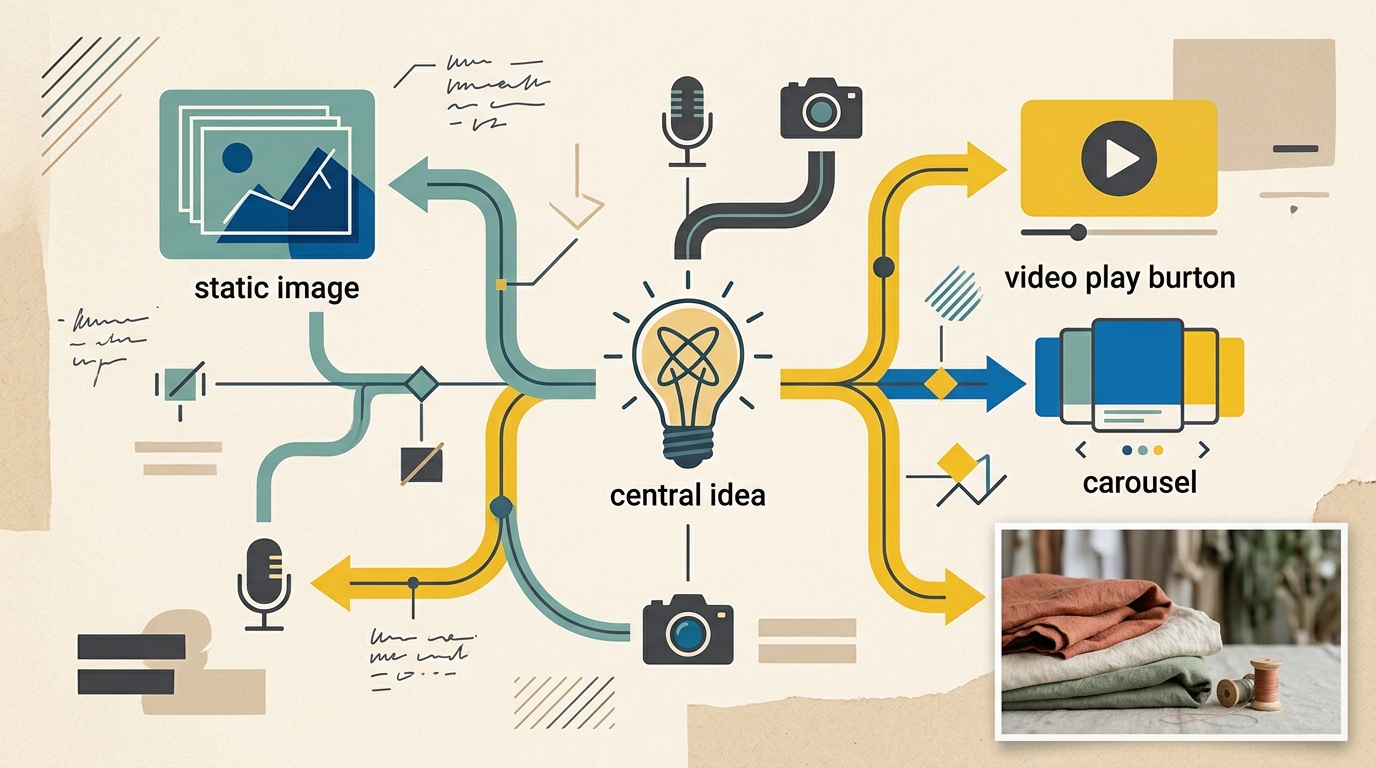
- Diversify Your Angles: A truly new creative changes the core message or format. Test variations of the:
Hook: The first 1-3 seconds of a video or the main headline. Format: Static image, carousel, short-form video, UGC, testimonial. Angle: Problem/solution, benefit-driven, social proof, or a behind-the-scenes look. 3. Iterate on Winning Concepts: A fatigued ad often contains a winning message. Repackage that message in a new format or with a new hook to extend its lifespan. 4. Expand Your Audience: If your targeting is too narrow, fatigue will set in faster. Consider broadening your interests or leveraging Advantage+ audience to find new customer segments. 5. Pause Based on Profitability: Don't pause an ad simply because you're tired of seeing it. Make decisions based on data. If the cost per purchase exceeds your break-even point for several consecutive days, it's time to pause.
How EngageReel Fits
EngageReel is an AI ad performance and creative platform for fashion eCommerce. It analyzes your winning ad creative, identifies the patterns driving performance, and automatically generates new, high-potential ad variations. This allows your team to stay ahead of creative fatigue by continuously supplying Meta's algorithm with fresh, data-informed content, ensuring your campaigns maintain peak performance without manual guesswork. Learn more at EngageReel.com.
Is It Fatigue or Something Else?
Before pausing your creative, quickly rule out other common issues that can impact performance.
| Symptom | Likely Cause |
|---|---|
| Frequency up, CTR down, CPA up | Creative Fatigue |
| CTR stable, but conversion rate is down | Website issue, offer change, or out-of-stock product. |
| All ads perform worse simultaneously | Pixel/CAPI tracking problem or increased auction competition. |
| Purchases aren't reported in Ads Manager | A technical issue with your Pixel or Conversions API integration. |
Frequently asked questions
What frequency is too high for Meta ads?
For prospecting campaigns, a 7-day frequency above 2.5–3 is a signal to check other metrics like CTR and CPA. Retargeting campaigns naturally have higher frequencies. The downward trend in performance matters more than the absolute frequency number.
How long does a Meta ad creative last?
This depends on your daily spend and audience size. A large brand spending heavily can fatigue an ad in one to two weeks. A smaller brand with a modest budget might see a creative perform well for over a month. Monitor your metrics rather than following a fixed timeline.
Should I duplicate a fatigued ad?
No, duplicating an ad doesn't solve the underlying issue of audience saturation. It's more effective to launch genuinely new creative concepts that offer a different hook, format, or message to re-engage users.
Does creative fatigue affect Advantage+ campaigns?
Yes. While Advantage+ campaigns are effective at finding new audiences, the same creative will eventually fatigue. Continuously feeding your Advantage+ campaigns with a diverse set of new creatives is the best practice for sustained performance.
Is a falling ROAS always creative fatigue?
No. A drop in ROAS can also be caused by external factors like seasonality, a weaker offer, website performance issues, or tracking errors. Always check frequency and CTR trends first to correctly diagnose the problem.