How to Turn Product Images Into Video Ads With AI
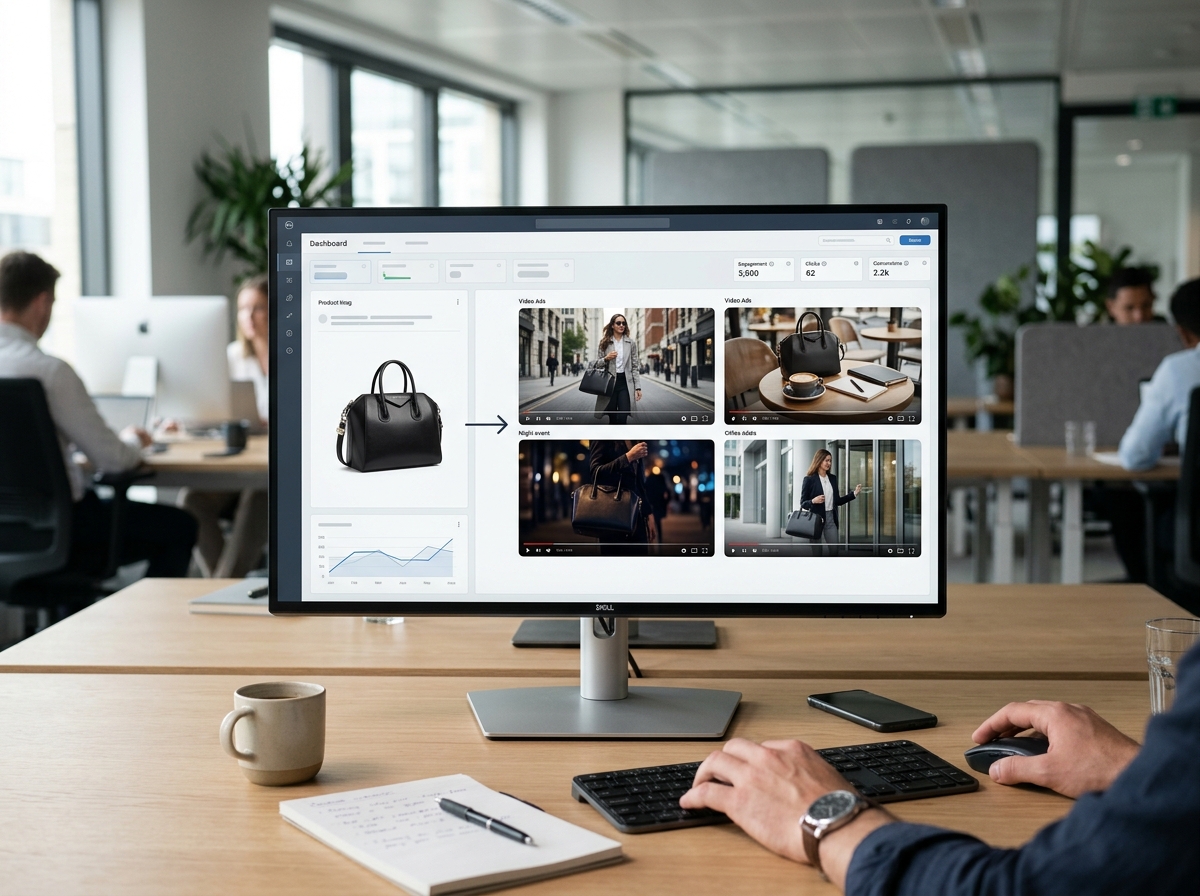
This article provides a step-by-step tutorial for e-commerce teams on turning existing product photography into compelling video ads using AI. It covers the end-to-end workflow from creative strategy to performance analysis, enabling brands to scale creative testing without resource-intensive video shoots.
- A workflow for converting static images into video ads
- How to maintain product fidelity during AI generation
- A framework for testing and optimizing AI-generated creatives
- Explore how EngageReel closes the loop between generation and optimization
How do you turn product images into video ads with AI? The process involves using an AI video generation platform to animate a static product photograph with specified motion, camera movements, and scenic elements. This workflow is most useful for creating short-form video ads for paid social platforms like Meta and TikTok, where a high volume of creative variations is needed for testing and overcoming creative fatigue.
Understanding Image-to-Video for Product Advertising
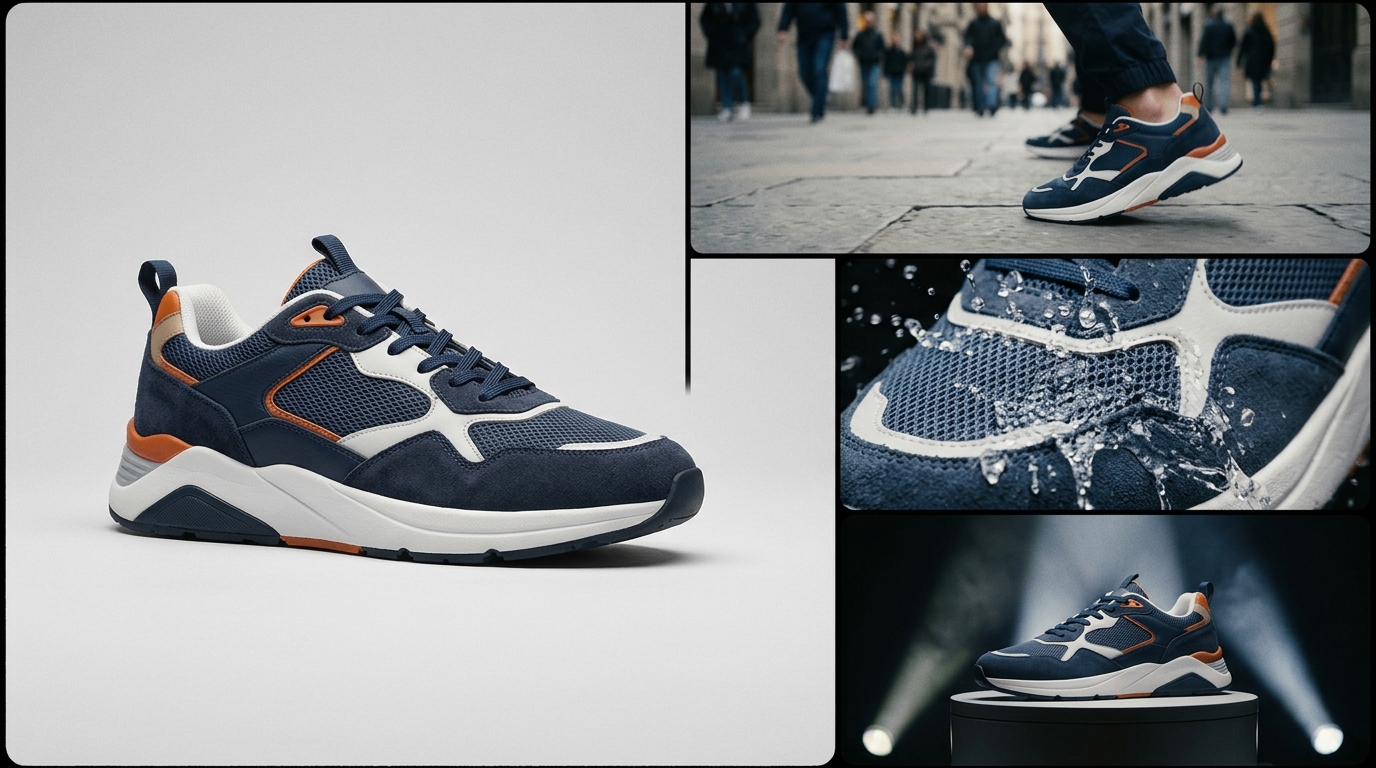
Image-to-video AI doesn't just add simple animation to a static photo. It uses the source image as a foundational layer for generating entirely new video content. For a fashion product, this means the AI can take a clean product shot and place it into a lifestyle context, animate a model wearing it, or create dynamic close-ups of the fabric and details. This allows performance marketers to transform a single product asset into a dozen distinct ad concepts, each targeting a different audience segment or value proposition.
Why Start with Product Images Instead of Text-Only Prompts?
For commercial products, starting with an image provides a critical anchor for the AI, ensuring brand consistency and product accuracy. Text-to-video generation is powerful but can struggle to replicate a specific product's design, logo, or colorway from a description alone. An image-led workflow significantly reduces the risk of generating off-brand or inaccurate visuals, which is crucial for maintaining trust and conversion rates. According to a 2024 report from the e-tailing group, 79% of shoppers rank high-quality product imagery as a top factor in their purchasing decisions, a standard that AI-generated content must meet.
| Dimension | Text-to-Video | Image-to-Video |
|---|---|---|
| Product Fidelity | Lower; relies on interpretation of text | Higher; anchored to the source image |
| Use Case | Conceptual ads, brand storytelling | Product-centric ads, SKU-level variations |
| Speed to First Draft | Fast for concepts | Faster for accurate product visuals |
A Playbook for Turning Product Images into Video Ads
- Choose and Prepare the Source Image: Start with a high-resolution product photo on a clean background. Ensure the lighting is even and the product is fully visible.
- Define the Advertising Objective: What is the goal of the ad? Is it for prospecting, retargeting, or brand awareness? Your objective will inform the creative direction.
- Decide on Motion and Scene: Determine the camera movement (e.g., zoom in, pan right), the environment (e.g., urban street, minimalist studio), and the pacing of the video.
- Generate the First Video: Input the image and your creative direction into the AI platform to generate the initial video.
- Inspect Product Fidelity: This is a critical QA step. Check for any distortions in the product's color, shape, logo, or key features. Create a checklist for your team to review each generation.
- Create Deliberate Variations: Generate multiple versions by changing one variable at a time—the background, the model, the camera angle. This builds a library of creatives for testing.
- Format for Target Platforms: Export versions in the aspect ratios required for Meta Ads (1:1, 4:5), Instagram Reels (9:16), and TikTok (9:16).
- Test and Learn: Deploy the ads and analyze performance data to understand which creative elements drive conversions.
Troubleshooting Common Generation Failures
AI video generation can sometimes produce imperfect results. Common issues include distorted logos, inconsistent colors, or unnatural movement. The best approach is iterative refinement. If a logo is warped, try using a source image where the logo is larger and clearer. If a color is off, specify the exact hex code in your prompt. For awkward motion, simplify the camera movement instructions. Keeping a log of what works and what doesn't will help your team become more efficient over time.
How Can EngageReel Automate Creative Learning?
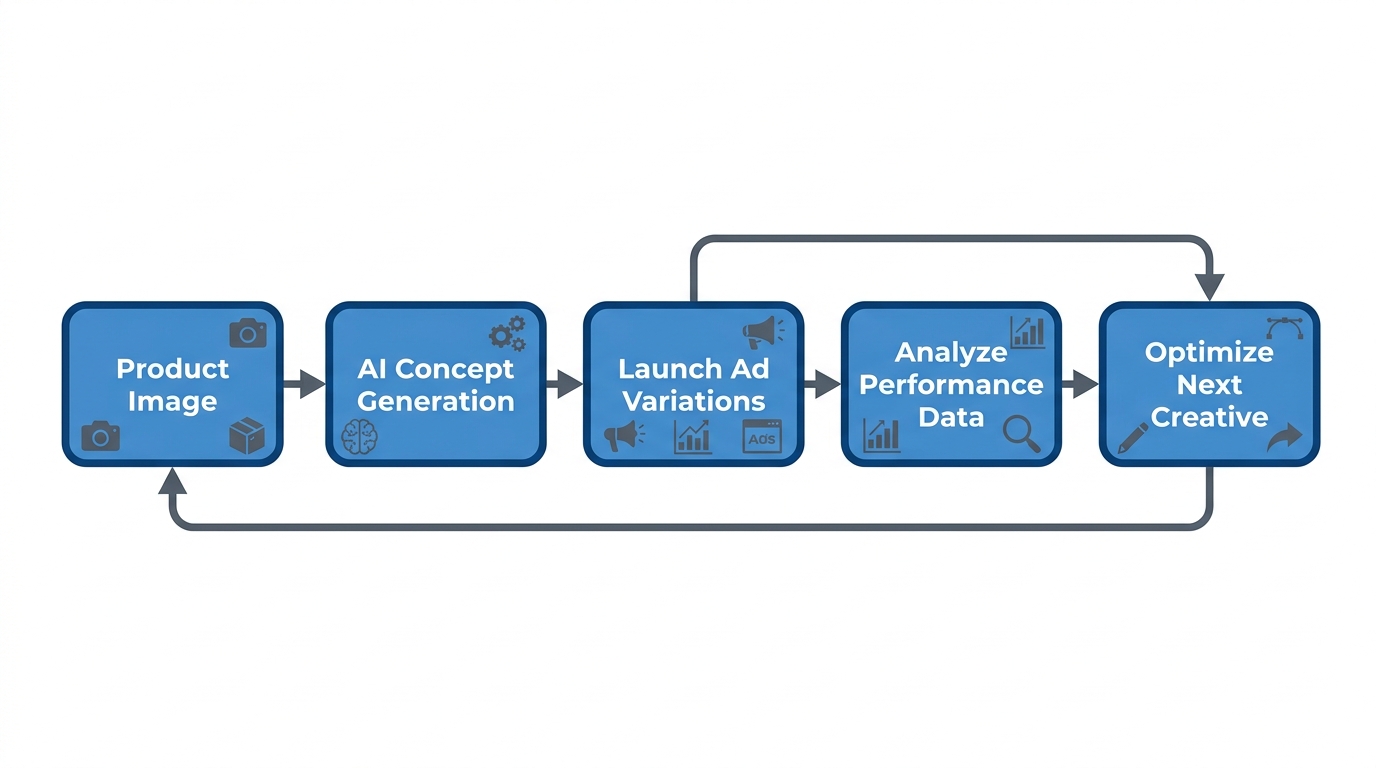
Generating video ads is only half the battle. The real challenge for performance marketers is knowing which creatives are actually driving results and why. This is where a platform for AI ad performance and creative for fashion eCommerce becomes essential. EngageReel connects the generation process to live ad performance data, creating a feedback loop. The platform analyzes which videos lead to higher click-through rates and conversions, then uses those insights to inform the next batch of creatives. This data-driven approach moves beyond guesswork, allowing brands to systematically improve their ad performance.
Frequently asked questions
How to turn product images into video ads with AI?
You can turn product images into video ads with AI by using an AI video generation tool. You upload a high-quality product image, then provide text prompts to define the desired animation, background scene, camera movement, and overall style for the video ad.
What are the best AI tools for creating video ads from images?
Several AI platforms specialize in image-to-video generation for advertising. Look for tools that offer fine-grained control over motion, maintain high product fidelity, and allow for easy creation of variations for different ad platforms like Meta and TikTok.
How much does it cost to create an AI video ad?
The cost of creating an AI video ad varies by platform, but it is significantly lower than traditional video production. Many AI tools operate on a subscription model or offer credits-based pricing, making it affordable to generate dozens of creative variations for testing. This contrasts with traditional video shoots, which can cost thousands of dollars for a single ad, as noted by production hub Studiotale.
Can AI-generated videos be used for Meta Ads?
Yes, AI-generated videos are highly effective for Meta Ads (Facebook and Instagram). They are ideal for creating the short-form, visually engaging content that performs well in Reels and Stories placements. Ensure you export the videos in the recommended aspect ratios (9:16 for Stories/Reels, 4:5 for feed).
How do you ensure product accuracy in AI videos?
To ensure product accuracy, start with a high-resolution, well-lit source image. During the generation process, provide specific prompts about product details. Most importantly, implement a rigorous quality assurance (QA) checklist to review each video for fidelity in color, shape, logo, and texture before launching any ads.
References
- e-tailing group — 2024 E-commerce Trends Report (2024)
- Meta for Business — Ad formats guide
- Studiotale — Video Production Costs: A Complete Guide (2024)
- Amazon Ads — How to prevent and cure creative ad fatigue (2024)
- ScienceDirect — Optimal dynamic advertising policy considering consumer ad fatigue (2024)